What to Do When Your Amazon ACOS Spikes in Q4
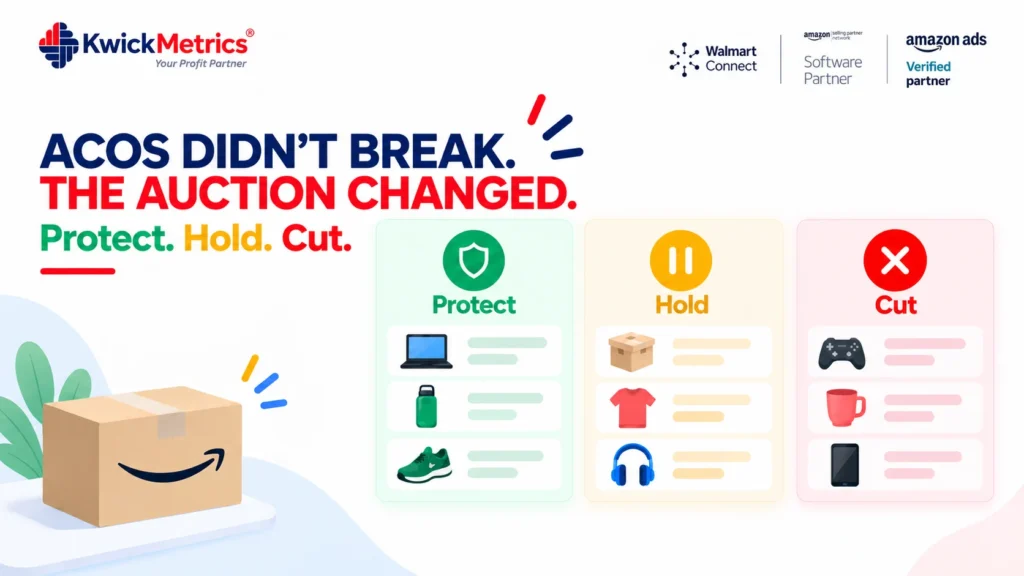
Table of Contents
- ACOS climbs every Q4 because every seller in your category is bidding harder for the same clicks, not because your campaigns got worse.
- Recalculating your break-even ACOS matters, but it’s not a plan. You still need to decide what to do with each campaign once you know the number.
- A three-tier framework (protect, hold, cut) turns that decision into a checklist instead of a daily judgment call.
- Dayparting controls when your budget gets spent, so you’re not funding clicks during your worst-converting hours just because the budget hasn’t run out yet.
- Rule-based automation is what makes any of this hold up across ten client accounts instead of one.
Every November, the same thing happens. ACOS climbs on campaigns that were performing fine in September, and the first instinct is to assume something broke. Nothing broke. Every competitor in your category raised their bids for the same keywords at the same time, and the auction did what auctions do.
Knowing that doesn’t fix anything on its own. The real question isn’t why ACOS went up, it’s what you do about each campaign once it has. This post is a framework for that decision: which campaigns to protect, which to leave alone, which to cut, and how to make that hold across every account you manage without checking bids by hand every morning.
Why ACOS climbs faster than conversion in Q4
The short version: cost per click rises because demand for ad placements rises, and conversion rate doesn’t rise at the same pace, so the ratio between them moves against you. Amazon’s own definition of advertising cost of sales is simply ad spend divided by ad-attributed sales, which is exactly why it moves whenever either side of that ratio shifts. That’s the entire mechanism, and it applies to every seller in a competitive category, not just yours.
What it means for the P&L side of this is already covered in recalculating your break-even ACOS for Q4 fee rates, which walks through why your acceptable ACOS ceiling itself needs to move once Q4 fees are added to the cost side. This post picks up from there: once you know your real break-even number, here’s what to actually do with the campaigns sitting above and below it.
A three-tier framework for Q4 bid decisions
Sort every active campaign into one of three tiers based on where its ACOS sits relative to your recalculated break-even, and its role in your catalog.
Protect. Campaigns on your best-margin, highest-velocity SKUs, running near or under break-even ACOS. These are worth defending with bids even as CPCs rise, because losing placement here costs more than the extra spend does. Raise bids incrementally, not in one jump, and watch conversion rate daily rather than weekly.
Hold. Campaigns running above break-even but not by much, usually on mid-tier SKUs. Don’t chase rank here. Keep bids flat and let the campaign find its own level in a more competitive auction. This tier is where most of your Q4 ad spend probably sits, and it’s the one most agencies either over-manage or ignore completely.
Cut. Campaigns that were already marginal before Q4 and have now crossed well past break-even ACOS with no sign of recovering. Pause or sharply reduce budget here before the auction spends more chasing a number that isn’t coming back. This is the tier that’s hardest to act on, because it usually means admitting a campaign you built in the summer doesn’t work in November.
Running every campaign through this sort once a week is enough for one account. It’s not enough for ten, which is where the next two sections matter more.

Using dayparting so budget doesn't leak into dead hours
A fixed daily budget doesn’t know the difference between your best-converting hour and your worst one. It just spends until it runs out, and in Q4, with more total bidding pressure in the auction all day, budgets exhaust faster and less selectively.
Dayparting fixes the timing problem directly: it restricts spend to the hours when your account actually converts, and pulls back during the hours it doesn’t. That doesn’t reduce your ACOS ceiling, but it means the spend you do have goes toward hours worth defending, instead of funding clicks in a low-converting window just because the budget hadn’t hit zero yet. Rule-based bid and budget automation that includes dayparting turns this from a manual schedule adjustment into a standing setting you check once, not something you re-tune every week of Q4.

Making this hold without checking every account by hand
The three-tier sort and dayparting both work fine for one account checked by a person. The problem is Q4 doesn’t give you more hours to check ten accounts, or forty. It gives you the same hours, more auction pressure, and more campaigns that need a decision this week instead of next.
This is where rule-based automation matters more than any single tactic above. A rule set that raises or lowers bids based on ACOS thresholds, or pauses a campaign once it crosses a set point, applies the same tier logic to every account the same way, on a schedule that doesn’t depend on which team member is covering that client this week. Ads analytics broken down by campaign and keyword is what tells you where each account’s tiers actually sit before you set the rules; the rules are what keep them there once Q4 volume picks up.
Set the rules once, not every week
Sorting campaigns into tiers by hand works for one account. Across a full client roster in Q4, it’s the task most likely to slip. KwickMetrics lets you set bid and budget rules, including dayparting, once per account and let them hold through peak season. See how rule-based automation works for your accounts.
Get Your Questions Answered (FAQ)
There's no single normal number, it depends heavily on category and how competitive your specific keywords are. The more useful question isn't "is this normal" but whether your ACOS is still under your recalculated break-even for Q4 fee rates. A rising ACOS that stays under break-even isn't a problem to fix. One that crosses it is.
No. Raising bids uniformly spends more on campaigns that don't deserve the defense. The three-tier sort exists specifically so you're only raising bids on the protect tier, where the extra spend is buying something worth having, not on every campaign at once.
ACOS measures ad spend against ad-attributed sales for one campaign. TACOS measures total ad spend against total sales across your whole account, so it shows whether rising ad costs are actually dragging down overall profitability or just concentrated in a few campaigns you can afford to cut. Use ACOS for the campaign-level tier decision and TACOS to check the account-level picture isn't slipping underneath it.
It changes when your budget is spent, not how much visibility you get during your best hours. If anything, dayparting protects reach during your highest-converting windows by making sure budget hasn't already run out by the time those hours arrive.
Weekly at minimum for the November through January window, since CPCs and conversion rates both move faster than usual during that stretch. A campaign in the hold tier one week can cross into cut territory the next if competition in that keyword spikes.
The logic carries over, since Walmart Connect also runs on a bid-based auction. What doesn't carry over is the break-even number itself. Walmart's fee schedule, settlement cycle, and reporting are separate from Amazon's, so recalculate your break-even ACOS using Walmart's own figures before sorting Walmart campaigns into the same tiers, rather than reusing your Amazon numbers.
It usually means organic sales are softening while ad-attributed sales hold steady, so ads are covering a growing share of total revenue even though each campaign's own ACOS hasn't moved. Amazon Ads' own guidance on not relying on a single ad metric makes the same point: ACOS alone can look healthy while the account-level picture moves against you. That's a signal to check organic ranking and conversion rate on your core keywords, not to re-sort your ad tiers, since the problem in that case isn't the bids.


Nilanth is a contributor at KwickMetrics and a Full Stack Developer with 7+ years of experience building scalable web applications using Laravel, ReactJS, NextJS, and Headless WordPress. He plays a key role in enhancing KwickMetrics by developing efficient, high-performance solutions that help sellers and agencies gain better insights, streamline operations, and drive growth.