How AI Spots What Changed in Your Amazon Seller Analytics this Week
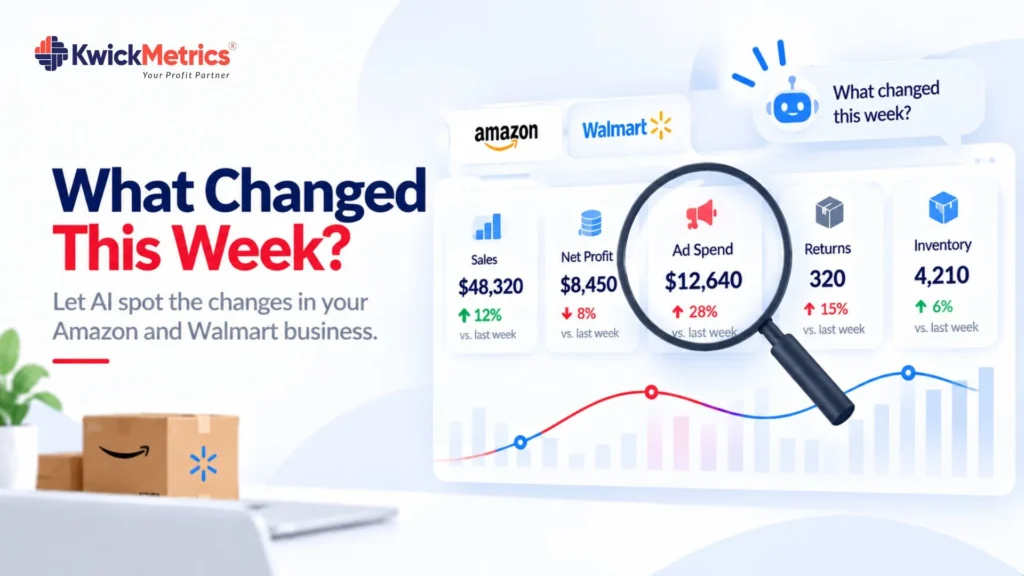
Table of Contents
You check your Amazon or Walmart account on Monday. Sales look fine. Ad spend looks normal. Nothing jumps out.
But something did change. A product that was making money last week stopped making money this week. A return rate climbed. An ad campaign burned through budget on a keyword that stopped converting. You just can’t see it yet — because the change is buried inside numbers that still look okay on the surface.
That is the problem with weekly business reviews. The numbers are there. The changes are there. But finding them takes time you don’t have, and missing them costs money you can’t get back.
AI can spot these changes in seconds. It reads your sales, profit, ads, inventory, and returns data — compares this week to last week — and tells you what moved and why. No dashboards. No exports. Just a question and an answer.
Why weekly changes go unnoticed
The short answer: there is too much data and not enough time.
Amazon and Walmart seller accounts generate data across sales, fees, advertising, inventory, returns, and reimbursements. Every day, those numbers shift. A fee bracket changes because a product’s dimensions got re-measured. A return rate ticks up on one SKU. An ad group spends more because a competitor dropped out of a keyword auction and your bid won more often.
Each change on its own is small. None of them trigger an alert. None of them show up on the front page of your dashboard. But together, over a week, they move your profit.
The standard way to catch these changes is a manual review — open the reports, compare date ranges, scan for anything that looks different. That works when you have one account and one marketplace. It breaks down when you have multiple accounts, both Amazon and Walmart, and a full week of data across every product.
The problem is not that the data is hidden. It is that comparing this week to last week, across every metric, for every product, is a job that takes longer than the review meeting itself.
What missed changes cost you
Every unnoticed change has a cost. The size depends on what moved and how long it takes you to find it.
The math is simple: per-unit cost increase × daily units × days unnoticed = money lost. A fee that goes up by $0.30 on a product selling 50 units a day costs you $15 on day one. By the end of the week, that is $105. If you don’t catch it until the monthly review, $450. (Plug in your own unit cost and volume — the formula works the same way.)
The real damage is not the single change. It is the delay. Revenue can look flat while profit drops underneath it — because fees, ad spend, or returns shifted without a matching sales change. That gap between “looks fine” and “is fine” is where money leaks.
How AI finds what changed — without opening a report
This is where the way you work with your data changes.
Instead of opening dashboards, pulling date ranges, and scanning for differences, you ask a question. In plain language.

Something like:
- “What changed in my profit this week compared to last week?”
- “Which products had the biggest drop in margin?”
- “Did my ad spend go up on any campaign this week?”
- “Are any products getting more returns than last week?”
AI reads your live seller data — sales, profit, fees, ads, inventory, returns — compares the two periods, and gives you the answer. It tells you what moved, by how much, and on which products.
No export. No spreadsheet. No pivot table.
AI is good at exactly the thing that makes weekly reviews hard: comparing large sets of numbers across time and spotting the ones that changed. Fee increases, ad spend spikes, return rate climbs, inventory drops, profit shifts where revenue stayed flat — it catches all of them, across every product, without skipping a column.
AI does not replace your judgment. It replaces the scanning. You skip straight to the decision.
Doing this across multiple accounts
If you manage one account, a weekly check is an hour of work. If you manage client accounts — or your own accounts across Amazon and Walmart — that hour multiplies.
The same question that works on one account works across all of them:
- “Which client account had the biggest profit change this week?”
- “Are any Walmart accounts showing a jump in return rates?”
- “Which accounts had ad spend increase without a matching sales increase?”
AI reads across every connected account and every marketplace. One question, one answer, every account covered.
This is what makes AI useful for amazon seller analytics at scale — not replacing the analysis, but replacing the gathering and comparing part so you can go straight to the decision.
Where KwickMetrics MCP fits
KwickMetrics connects your Amazon and Walmart accounts to AI through MCP (Model Context Protocol). That means you can ask Claude or ChatGPT questions about your live business data — profit, ads, inventory, returns, reimbursements — across every connected account, on both marketplaces.
You type a question. AI reads your real numbers. You get the answer.
It is free on every KwickMetrics plan. No extra fee, no usage limits, no separate add-on.
If you already use KwickMetrics, you can start asking your data questions right now — in the same AI tools you already use.
Where to Start
Pick one question — the one you usually answer by scanning reports on Monday. Ask AI instead. If it finds something you missed, that is your answer.
Ask your own data a question in Claude or ChatGPT
Get Your Questions Answered (FAQ)
AI compares your data across two time periods and finds differences in sales, profit, fees, ad spend, returns, and inventory. It catches changes that are too small to notice on a dashboard but large enough to affect your margin — like a fee increase on one product, or a return rate climbing on a single SKU.
Yes. For AI to compare your numbers week over week, it needs to read your actual sales, fees, ads, and returns data. Tools that connect your seller accounts through MCP give AI direct access to your live data, so the answers are based on real numbers — not estimates.
Yes. If your accounts are connected, AI can read data from both marketplaces. You can ask a question like "compare my Walmart profit this week to last week" or "which marketplace had a bigger margin change" — and get one answer covering both.
No. Ask the question the way you would ask a colleague. "What changed in my profit this week?" works. You do not need special formatting or technical language. AI reads the intent and pulls the right data.


Karthick Selvaraj is a Product Manager at KwickMetrics, where he leads the development of data-driven tools that help Amazon and Walmart sellers track profitability, optimize ads, and manage their business with greater clarity and control. He works closely with eCommerce brands, presents at industry events, and turns real seller pain points into intuitive product features.