Amazon Seller Tools that Let AI Read Your Data and Act on It
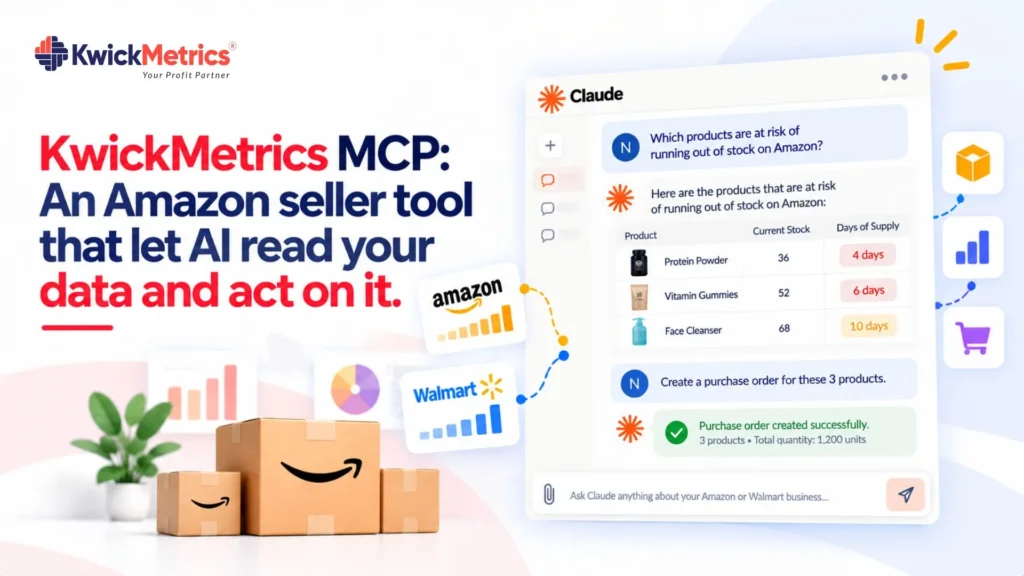
Table of Contents
You can already ask AI about your Amazon or Walmart numbers. Pull a profit report, check ad spend, see which SKU dropped in rank. That part works — several tools offer it.
But the moment you find something that needs fixing, the conversation stops. You copy the campaign ID, open Seller Central, find the right setting, and make the change by hand. Same thing when a listing needs new keywords or a campaign needs different dayparting. The gap between knowing and doing is where hours disappear.
KwickMetrics MCP closes that gap. It connects your seller data to Claude, ChatGPT, Cursor, or Perplexity — and gives the AI both read and write access. Ask a question, get the answer, and act on it without switching tabs.
What you can ask — and what you can do
Most MCP connections are read-only. You can query data, but any action still means logging into a separate dashboard. KwickMetrics MCP works differently — 100+ tools across 19 categories, covering both the read and the write side.
The read side pulls live numbers across Amazon and Walmart: revenue, orders, margins, ACOS, TACOS, ROAS, P&L by SKU, keyword rankings, search query performance, geographic sales, inventory levels, ratings, and returns.
The write side is where no other MCP matches. You can manage ads, optimize listings, and automate rules — all from the same conversation:
Ads and PPC. Create Sponsored Products campaigns from scratch. Adjust bids at the campaign or keyword level. Change daily budgets. Negate search terms that waste spend. Move campaigns between portfolios. The full Amazon PPC management workflow happens inside the chat.
Listings. Run a listing analysis against competitors, pick the right keywords, rewrite titles and bullets, and publish the updated listing — without opening Seller Central. For bulk work, apply template-based changes across multiple ASINs at once. That covers the core of Amazon listing optimization in one conversation instead of 4 screens.
Automation rules. Set up bid rules that fire on performance thresholds — pause a keyword when ACOS passes 60%, raise bids on terms converting under $10. Create dayparting schedules that adjust bids by hour. Link rules to ad groups and let them run.
The difference is practical. Instead of finding a problem in one tool and fixing it in another, you handle both in the same place.
Two workflows that show the difference
Workflow 1: Monday PPC review. A seller managing 50 SKUs across Amazon US and Walmart spots 3 campaigns with ACOS above 45%. Without write access:
- The AI flags the 3 campaigns (read-only MCP does this fine).
- The seller opens Amazon Ads console, finds Campaign A, adjusts the bid. Time: 4 minutes.
- Repeats for Campaign B. Time: 4 minutes.
- Opens the Walmart ad dashboard (separate login), finds Campaign C, adjusts there. Time: 5 minutes.
- Goes back to the AI to check keyword performance. Finds 7 search terms wasting spend. Returns to both consoles to negate them. Time: 12 minutes.
Total: 25 minutes for 3 bid changes and 7 negations. With MCP, the seller types one request. The AI reads the data, shows what it found, and executes the changes after confirmation. Total: under 3 minutes.
Workflow 2: Listing refresh across 12 ASINs. A seller notices 12 listings with declining sessions. Without write access, each listing takes roughly 8 minutes: pull the keyword data, open the listing editor in Seller Central, rewrite the title and 5 bullets, save, and repeat. Total: about 96 minutes for 12 listings.
With MCP, the seller asks the AI to run a listing analysis on those 12 ASINs, compare them against top competitors, and suggest updated titles and bullets using the winning keywords. The AI shows drafts for each. The seller reviews, tweaks 2 of them, and says “publish all 12.” The AI pushes the changes live through bulk optimization. Total: about 15 minutes.
What competitors offer and what they don't
Several tools now offer some form of AI or MCP connection. Here is what each one actually does, as of September 2026:
| Tool | MCP tools | Read access | Write access | Marketplaces |
|---|---|---|---|---|
| KwickMetrics MCP | 100+ | Full (sales, ads, P&L, inventory, listings, keywords, reviews) | Full (campaigns, bids, budgets, keywords, negations, listings, dayparting, rules) | Amazon + Walmart |
| Seller Labs | Not disclosed | Full (sales, ads, P&L, reviews + 50+ SQL tables) | Partial (pause/launch campaigns, adjust budgets — no campaign creation from scratch, no automation rules, no dayparting, no listing publishing) | Amazon only |
| Helium 10 | 40+ | Broad (keywords, product research, P&L, ads, BSR, inventory, reviews) | Partial (bids, budgets — no campaign creation, no automation rules, no dayparting, no listing publishing) | Amazon + Walmart + TikTok (read); Amazon (write) |
| SellerMate.AI | Not disclosed | Full (ads, campaigns, keywords, BSR, inventory, heatmaps) | Partial (bid automation, updating, budget rules, search term harvesting — no campaign creation, no listing optimization) | Amazon only |
| Jungle Scout | Not disclosed | Broad (market share, keywords, products, brands via Cobalt) | None | Amazon only |
| Intentwise | Not disclosed | Full (ads, retail, inventory, SQP, share of voice) | None (explicitly analysis-only) | Amazon only |
| Sellerboard | N/A | Full (ads, retail, P&L and profit data) | None | Amazon only |
Three things stand out. First, no competitor offers write access across both Amazon and Walmart — KwickMetrics is the only MCP that does. Second, while Seller Labs, Helium 10, and SellerMate.AI each offer some write actions, none can create campaigns from scratch, publish listings, or set up automation rules through MCP. KwickMetrics covers all of those. Third, KwickMetrics has 100+ MCP tools compared to Helium 10’s 40+ and undisclosed counts from the rest.
The difference matters most for agencies. If you manage 30 accounts across both marketplaces, running separate tools for Amazon analytics, Walmart analytics, and a third for taking action means 3 dashboards and 3 sets of context-switching. KwickMetrics MCP puts advertising analytics and actions under one connection.
Who gets the most from read-and-write MCP
Sellers with 20+ SKUs save time on the 2 most repetitive jobs: PPC tuning and listing updates. The write access turns both from multi-screen workflows into single conversations. Check which campaigns overspend, fix the bids, negate the bad terms. Check which listings underperform, rewrite the content, publish. No tab-switching in between.
Agencies managing multiple client accounts get the biggest return. The agency services model — unlimited accounts, no per-account fees — means an agency connects every client to MCP at no extra cost. A morning review across 30 accounts becomes 30 conversations, each ending with the bids adjusted, keywords negated, and listings updated — not just flagged for later.
Walmart + Amazon sellers stop maintaining 2 separate workflows. The same MCP connection covers both marketplaces, including Walmart seller tools for inventory, returns, and profit reporting. One conversation handles a bid change on Amazon US and a listing update on Walmart — no account switching.
Key takeaways
Read-only AI connections solved half the problem — they show you the numbers. Write access solves the rest — it lets you create campaigns, adjust bids, negate keywords, optimize listings, set automation rules, and push changes live.
KwickMetrics MCP is the first to offer both across Amazon and Walmart, through any MCP-compatible AI assistant, at no extra cost. The read side gives you every metric. The write side gives you the full action set — from a single bid change to a bulk listing refresh across 12 ASINs.
If your current workflow involves finding something in one tool and fixing it in another, the time you spend switching is the time MCP gives back.
Bring every client account under one login, no per-account fees.


Karthick Selvaraj is a Product Manager at KwickMetrics, where he leads the development of data-driven tools that help Amazon and Walmart sellers track profitability, optimize ads, and manage their business with greater clarity and control. He works closely with eCommerce brands, presents at industry events, and turns real seller pain points into intuitive product features.