Why a weekly export is a bad amazon seller dashboard for 12 clients
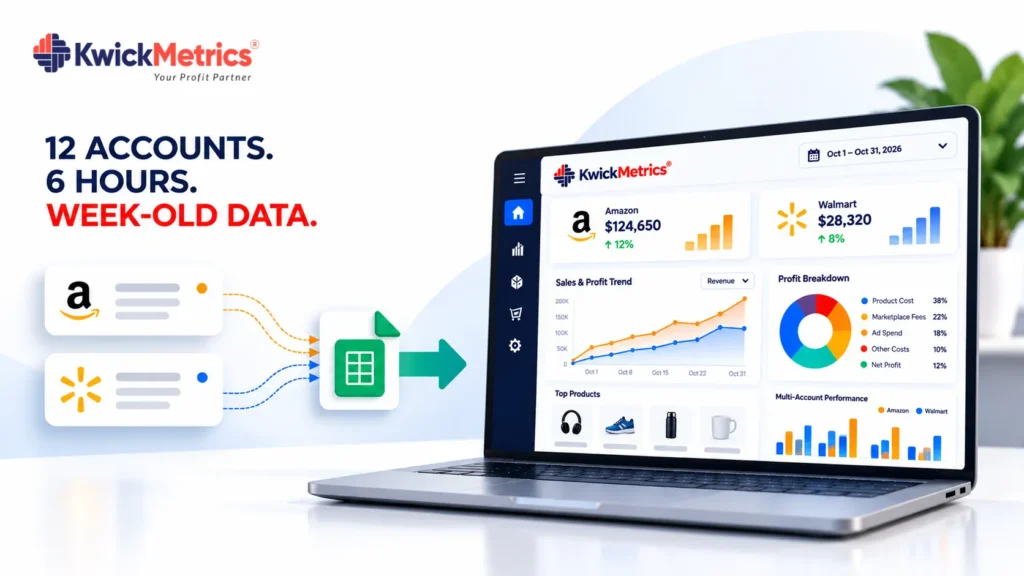
Table of Contents
Every Monday morning, someone on your team opens Seller Central, downloads amazon seller central reports for Client A, then Client B, then does it again for advertising. By the time that spreadsheet is formatted and shared, the data is already 3 to 5 days old. Decisions made on Tuesday are based on numbers from last Thursday.
That workflow made sense with 2 accounts. At 12, it becomes the most expensive habit in your amazon agency — not because of the tool cost, but because of the hours it eats and the signals it buries. If you run an amazon account management service for multiple brands, every hour spent on exports is an hour not spent on strategy.
This post breaks down what weekly exports actually cost, why most amazon analytics tools don’t solve the problem for agencies, and what a live amazon seller dashboard setup looks like instead.
Why amazon agencies still rely on weekly exports?
Amazon’s own reporting was built for individual sellers, not amazon agencies managing a portfolio. Seller Central generates amazon business reports one account at a time. There is no native amazon dashboard that shows 12 accounts side by side, compares ACOS across clients, or flags a margin drop without logging into each account separately.
So agencies build a workaround. They export CSVs, paste them into a master spreadsheet, add formulas, and call it their amazon analytics setup. That spreadsheet becomes the single source of truth for every client call, every strategy meeting, and every performance review.
The problem is not the spreadsheet itself. It is the lag. Amazon’s business report data can take 48 to 72 hours to finalize (as of October 2026, per Amazon Seller Central reporting documentation). If you pull on Monday, you are looking at data through roughly the previous Thursday. If a client’s ACOS jumped on Friday, you will not know until the following Monday — and by then the budget has been running unchecked for 3 days.
Managing multiple accounts on amazon through exports also creates version-control problems. One analyst pulls Tuesday’s numbers, another pulls Wednesday’s, and the spreadsheet ends up with conflicting rows that take another 30 minutes to reconcile.
DataHawk and Intentwise both target agencies with automated reporting features, but both gate their multi-account tools behind enterprise pricing or demo-only access. Sellerboard offers per-account dashboards at lower cost, but each account is a separate login and a separate subscription — no single view across clients.
What it costs you ?
Here is the math on a 12-account amazon marketing agency. These are illustrative numbers, but the structure matches what agency operators describe.
| Task | Time per account | Accounts | Weekly total |
|---|---|---|---|
| Download Amazon Seller Central reports + ads reports | 15 min | 12 | 3 hrs |
| Paste into master spreadsheet, fix formatting | 10 min | 12 | 2 hrs |
| Spot-check for errors, reconcile mismatches | 5 min | 12 | 1 hr |
| Total | 6 hrs/week |
That is 6 hours a week, or roughly 312 hours a year. At an illustrative rate of $35/hour for an analyst or junior account manager, that is $10,920 a year — spent not on amazon sales analytics, not on client strategy, but on copying and pasting.
And that only counts the labor. The hidden cost is the decisions you cannot make in time. A stockout that started Wednesday does not show up in your Monday export. A PPC campaign that blew past its daily budget on Saturday runs unchecked until you pull the next report. An amazon ads dashboard that updates in near-real-time catches those within hours, not days.
Zion4Commerce, an amazon agency managing 12 brands with SKU counts ranging from 94 to over 35,000 across 3 currencies, described the core shift this way: instead of pulling exports and reconciling, their team opens one screen and the data is already there. Across their 12-brand portfolio, trailing-6-month margin comparisons ranged from 5.0% to 16.6% — visible at a glance, not buried in a spreadsheet tab. (Source: KwickMetrics case study, Zion4Commerce.)
How to fix it
The fix is not “better spreadsheets.” It is removing the export step entirely. Most software for amazon sellers was designed for single accounts. What an amazon agency needs is different — here is what that looks like.
One sortable view for every account
A proper amazon seller reporting tool for agencies shows all client accounts in a single login. Revenue, profit, ACOS, TACOS, and inventory health — side by side, sortable, filterable. No switching between tabs or browser profiles. KwickMetrics does this without per-account fees: you connect each client’s Seller Central and Advertising accounts, and the data flows into one amazon dashboard. The problem it replaces — logging into 12 accounts and downloading 24 reports — disappears on day one. From there, your team spends that time on the work clients actually pay for.
Alerts that catch what exports miss
Weekly exports have a built-in blind spot: anything that happens between pulls. A margin drop, an ACOS spike above your target, a low-inventory warning — these need attention within hours, not next Monday.
Set threshold-based alerts for each client: ACOS above 35%, margin below 10%, stock cover under 14 days. When a metric crosses the line, your team gets notified. No amazon ppc software or reporting tool catches problems faster than an alert that fires the moment the number moves. No one has to go looking for problems — the problems come to you.
Reports built from the same data source
If your export and your amazon reporting tool pull from different extracts at different times, the numbers will not match. That creates a second problem: your team spends time reconciling instead of analyzing.
A single data source means the number your account manager sees on Tuesday is the same number the client sees in their weekly report. No “let me check the spreadsheet” moments on calls. According to Amazon’s SP-API documentation, report data availability varies by report type, and some advertising metrics update within 24 hours — a live connection surfaces those faster than any manual pull. That is the difference between amazon analytics tools that just display data and ones that actually replace manual work.
Doing this across multiple accounts
The cost structure matters here. Many amazon analytics tools charge per account or per marketplace. At 12 accounts, that adds up fast — and it gets worse when a client asks you to add their Canadian or European marketplace.
When Zion4Commerce added their 13th brand, they did not need a new subscription or a separate login. The account appeared in the same amazon dashboard, with the same margin tracking, the same P&L structure, and the same currency handling. That is the difference between a tool designed for amazon agencies and software for amazon sellers that agencies happen to use.
KwickMetrics charges no per-account fees. You connect as many Seller Central accounts as you manage — 12, 20, 50 — under one agency login. Each client’s amazon seller data analytics stays separated by permissions, so account managers see only their assigned brands. The automated client reporting runs from the same live data, which means no more Sunday-night spreadsheet marathons before Monday client calls. For any amazon marketing agency managing multiple accounts on amazon, scaling clients should not mean scaling export time.
Where to start
Pick your most complex client — the one with the most SKUs, the most ad campaigns, or the most marketplaces. Connect that account first and run it alongside your existing spreadsheet for 2 weeks. Compare the time your team spends on each. Look at how quickly you spot a margin change or an ad spend anomaly in the dashboard versus the export. That comparison will tell you more than any feature list. Once you see the difference on one account — real analytics on amazon, updated daily, without a single CSV download — the decision to move the rest is straightforward. Start with the account that hurts the most to manage manually, and let the numbers make the case.
Every client you add to a spreadsheet makes the spreadsheet slower. Every client you add to a live amazon dashboard makes the dashboard more valuable.
Bring every client account under one login — no per-account fees.
Get Your Questions Answered (FAQ)
No. Amazon Seller Central generates amazon business reports for one account at a time. There is no native multi-account view. Amazon agencies that need a combined view either build manual spreadsheets or connect accounts to a third-party amazon reporting tool that aggregates the data into a single amazon dashboard. The manual route works until you pass 5 or 6 accounts — after that, the export time alone becomes a bottleneck.
Daily, at minimum. Amazon advertising metrics like ACOS, spend, and click-through rate can shift within a single day, especially during promotions or seasonal peaks. A weekly check means 5 days of unchecked spend between reviews. An amazon seller dashboard with threshold alerts lets your team respond to spikes the same day they happen, rather than discovering them in the next export cycle. Pairing alerts with amazon ppc software that tracks bid and budget changes gives your team even faster response time.
At minimum: revenue, profit (after fees, COGS, and ad spend), ACOS and TACOS by campaign, inventory days of cover, and refund rate — all filterable by client, marketplace, and date range. The dashboard should update at least daily and support role-based access so each account manager sees only their assigned clients. A worked P&L per account, not just top-line amazon sales analytics, is what separates a useful amazon seller dashboard from a vanity metric screen.
For a freelancer managing 1 or 2 accounts, yes. The export time is manageable, the data volume is small, and the lag is tolerable. Once you manage 5 or more accounts, the math shifts: export time exceeds an hour a week, reconciliation errors creep in, and the delay between data availability and decision-making grows wide enough to cost real money. At that point, the spreadsheet is not saving you — it is slowing you down. That is when an amazon seller reporting tool or a proper amazon analytics setup pays for itself.

Nilanth is a contributor at KwickMetrics and a Full Stack Developer with 7+ years of experience building scalable web applications using Laravel, ReactJS, NextJS, and Headless WordPress. He plays a key role in enhancing KwickMetrics by developing efficient, high-performance solutions that help sellers and agencies gain better insights, streamline operations, and drive growth.