How to Check an AI-Generated Amazon Profit Report with Seller Central Reports
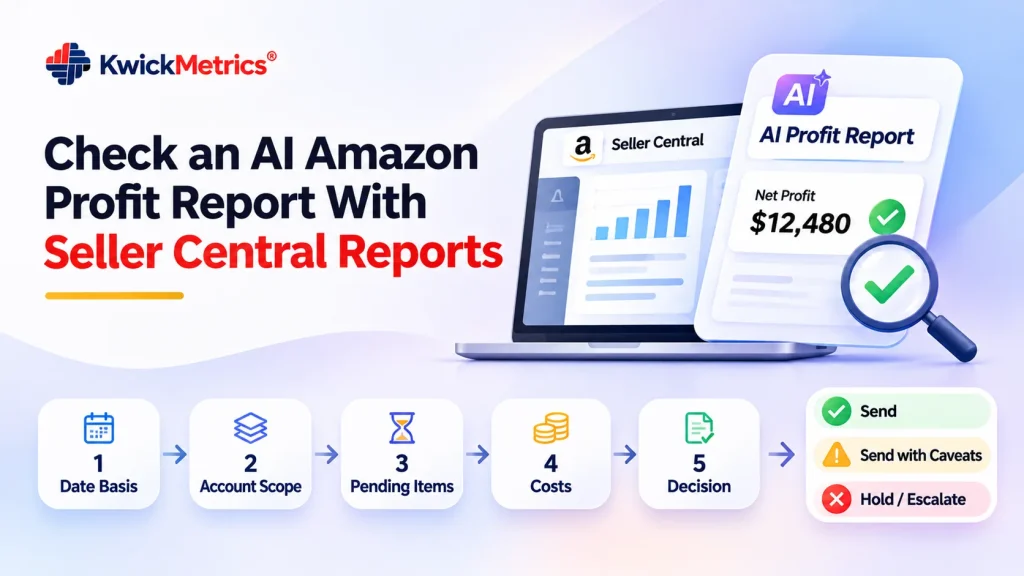
Table of Contents
- What you need before you start
- Step 1: Pin down which date the report used
- Step 2: Confirm account scope and currency
- Step 3: Separate pending activity and later adjustments
- Step 4: Check every cost line and treat gaps as unknown
- Step 5: Run the pre-send checklist and decide
- Send the number only when you can defend it
- Get Your Questions Answered (FAQ)
When your AI is connected to your actual Amazon data — through something like KwickMetrics MCP — it pulls real numbers directly from your Seller Central account. That means the date basis, account scope, fees, and transaction data all come from the source instead of being guessed or assumed. The result is a profit report that starts accurate.
Even then, a quick cross-check before sending to a client is good practice. And if you’re still using a generic AI tool that doesn’t have direct access to your Amazon data, these 5 steps become essential — because the AI is working from whatever context you gave it, and gaps in that context turn into gaps in the numbers.
Either way, this guide gives you a repeatable 5-step check using the Seller Central reports your client already has.
Before you send any AI-generated Amazon profit report, confirm the date basis agreed with the client’s finance team, the accounts and currency it covers, and which activity is still pending. Then check every cost line, treat any missing cost as unknown rather than zero, and hold the report if an unknown cost could change the result. Never use a settlement payout to validate profit, because a payout measures cash, not earnings.
What you need before you start
Whether you’re working with a generic AI tool, gather these before you start: the AI report, the prompt behind it, the client’s Seller Central payment reports, ad cost data for the same period, and COGS for every SKU.
Without MCP, the original prompt is your only record of which period, date basis, and account scope the report covers.

| What you need | With MCP | Without MCP |
|---|---|---|
| Date Range Summary + Transaction reports | AI pulls directly from Seller Central | Download manually from Payments > Reports Repository |
| Account scope and currency | AI knows which account it queried | Check the prompt — could include wrong accounts |
| Release status (deferred proceeds) | Available in Transaction report data | Download Transaction report, check Release Date column |
| Ad spend by day/campaign | Pulled from Amazon Ads if connected | Download from Amazon Ads console separately |
| COGS per SKU | Available if loaded in KwickMetrics | Get from client's finance/ops team manually |
| Client's reporting policy | You still set this yourself | You still set this yourself |
Step 1: Pin down which date the report used
Confirm whether the report counted activity by order date, posting date, or settlement window. The same month gives 3 different numbers depending on that choice.
With MCP, the AI knows exactly which date basis it used because it queried the data directly. With a generic AI, you need to ask — and if it can’t tell you, the figure is unverified.
| Date basis | Measures | Good for |
|---|---|---|
| Order date | When the customer bought | Sales and ad performance |
| Posting date | When a charge or refund posted | Matching Amazon's records |
| Settlement window | Activity one payout covers | Cash reconciliation only |
Which basis a client’s report uses is an accounting decision. Agree it with the client’s finance contact and write it into the report header.
As of November 2026, Amazon’s Date Range reports are based on posting date. An order-date report won’t match them line by line, and that gap alone isn’t an error.
A settlement payout is not profit. It can include proceeds from earlier orders, ad charges, and reserve changes — and it never includes COGS. For more on this gap, see why the bank deposit doesn’t match
Step 2: Confirm account scope and currency
Confirm the report covers exactly the accounts and marketplaces in the engagement, in one currency.
This is where MCP makes a real difference. When you connect KwickMetrics to Claude or ChatGPT through MCP, you can ask for a cross-account breakdown with one row per client account in a single prompt. Amazon and Walmart data stays separated automatically, so a blended total is easy to spot before it reaches a client.
Without MCP, a broadly worded prompt can pull in a second brand or a marketplace the client doesn’t pay you to manage — and the total will still look plausible. Ask the AI to list the account and marketplace behind each total, then check that the seller account matches the client, all figures come from one marketplace, and currencies aren’t mixed.
Write the scope in one line at the top: one seller account, Amazon US, USD, order date, October 1–31, 2026.
Step 3: Separate pending activity and later adjustments
Split the period’s activity into what has posted and what is still pending or deferred. Recent orders are the ones most likely to move. Refunds, fee adjustments, and reimbursements can all post after the report is generated.
How long proceeds stay deferred varies by account and policy, so check the client’s Payments dashboard rather than assuming a fixed number of days. As of November 2026, Amazon’s unified Transaction reports show deferred transactions alongside released activity. The Transaction Release Date column stays blank while a transaction is deferred.
A refund for an October order can post in November. Reimbursements post when Amazon issues them, often well after the sale. Keep reimbursements on their own line and note which period they relate to. How they’re booked is the client’s finance team’s call.
Step 4: Check every cost line and treat gaps as unknown
Go through every cost line and confirm it’s present, sourced, and on the agreed date basis. A missing cost is uncertainty, not zero.
Reconcile the fee totals to the Date Range Transaction report with a bridge, not a forced match. For ads, use spend by day or campaign — billed ad charges don’t follow one month’s spend.
Amazon doesn’t know what your client paid for their products. In this hypothetical example, the only error is one missing COGS line. Amazon’s referral fees vary by product category as of November 2026, so the 15% rate here is an assumption, as is the $5.00 FBA fee.
| Line (October, order date) | AI report | After check |
|---|---|---|
| Sales: SKU A 300 + SKU B 100, $30 each | $12,000 | $12,000 |
| Referral fees (15% assumed) | −$1,800 | −$1,800 |
| FBA fees ($5.00/unit assumed) | −$2,000 | −$2,000 |
| Ad spend by campaign date | −$1,500 | −$1,500 |
| COGS, SKU A (300 × $8) | −$2,400 | −$2,400 |
| COGS, SKU B (100 units) | $0 (missing) | −$800 (client confirms $8) |
| Storage + other (not recorded) | Not in report | Still open |
| Profit before unrecorded costs | $4,300 | $3,500 |
The AI’s math: $12,000 − $1,800 − $2,000 − $1,500 − $2,400 = $4,300. Adding SKU B’s COGS: $4,300 − $800 = $3,500. The report was $800 too high. Neither figure is net profit while storage is open.
This is exactly the kind of gap MCP prevents. When your client’s costs are loaded in KwickMetrics, the P&L shows net profit by account and product with COGS already subtracted — a SKU with a missing cost stands out immediately instead of hiding in a spreadsheet.
Without MCP, you’ll need to list every SKU with sales and manually check each against the client’s cost source. Either way, confirm the cost with the client before Step 5.
Step 5: Run the pre-send checklist and decide
Run every report through the same checklist, then make one of 3 calls: send, send with caveats, or hold and escalate. A fixed rule keeps the call consistent across account managers.
| # | Check | Pass looks like |
|---|---|---|
| 1 | Date basis | Agreed with client finance, stated at the top |
| 2 | Scope | One account, one marketplace, one currency |
| 3 | Pending share | Deferred activity labeled with an as-of date |
| 4 | Cost lines | All cost categories present or explicitly open |
| 5 | Zeros | No $0 without a source |
| 6 | Reimbursements | Own line, with the period they relate to |
| 7 | Payout | Not used as proof of profit |
| 8 | Fee tie-out | Fees reconcile through a documented bridge |
| Decision | When | Who acts |
| Send | All 8 pass | Account manager |
| Send with caveats | Only bounded timing items open; client policy allows it | Account manager, caveats in report |
| Hold and escalate | Any material cost unknown; wrong scope; mixed currency | Account lead + client finance |
A held report can still go out as a provisional interim update. It must be marked provisional, reviewed by the account owner, and never labeled net profit.
Send the number only when you can defend it
With MCP, your AI starts from real data — so most of these checks pass before you even open the report. Without it, these 5 steps are the difference between sending a number you can defend and sending one you can’t.
In the example above, one missing cost line was worth $800. If you’re still choosing how your team builds and verifies client reports, our guide to agency reporting tools is a good next read.
Stop guessing whether the AI got it right. Connect KwickMetrics to Claude or ChatGPT through MCP — your AI gets direct access to every client’s sales, fees, costs, and profit data. The numbers come from the source, so checking a report takes minutes, not hours.
Get Your Questions Answered (FAQ)
No. A settlement report shows cash movement for one settlement window, including proceeds from earlier orders and ad charges. It never includes COGS. Use it to reconcile cash. To check profit, reconcile fees and refunds to the Date Range Transaction report with a bridge for timing differences.
They measure different things. The AI figure is usually profit by order date; the deposit is cash released for a settlement window. Deferred proceeds, later refunds, ad charges, and reserves all move cash without changing that period's profit the same way. A gap is expected, not evidence of an error.
Treat that SKU's profit as unknown and hold until the client confirms the unit cost. If you're using KwickMetrics MCP and the cost is loaded, the P&L will flag the gap automatically. Without MCP, check each SKU manually against the client's cost source. Either way, confirm with the client before sending.
Show them on a separate line. A reimbursement posts when Amazon issues it, often well after the sale. It usually belongs to an earlier month. Label the period it relates to and let the client's finance team decide how it's booked.


Karthick Selvaraj is a Product Manager at KwickMetrics, where he leads the development of data-driven tools that help Amazon and Walmart sellers track profitability, optimize ads, and manage their business with greater clarity and control. He works closely with eCommerce brands, presents at industry events, and turns real seller pain points into intuitive product features.